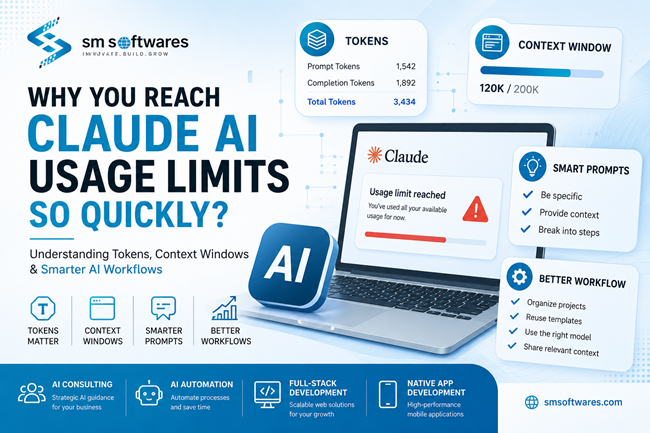
Why Do You Reach Claude AI Usage Limits So Quickly? Understanding Tokens, Context Windows & Smarter AI Workflows
Artificial intelligence tools such as Claude have become an essential part of software development, content creation, business automation, and research. As more professionals rely on AI in their daily work, one question continues to surface:
"Why do I reach my usage limits so quickly?"
The answer often has less to do with your subscription plan and more to do with how AI models process information.
Modern AI models work using tokens rather than simply counting words or messages. Every prompt you submit,
Artificial intelligence tools such as Claude have become an essential part of software development, content creation, business automation, and research. As more professionals rely on AI in their daily work, one question continues to surface:
"Why do I reach my usage limits so quickly?"
The answer often has less to do with your subscription plan and more to do with how AI models process information.
Modern AI models work using tokens rather than simply counting words or messages. Every prompt you submit, every response generated by the AI, every uploaded document, and even previous messages in the conversation consume tokens. As conversations grow longer, the AI processes more context, increasing the number of tokens used and the computational resources required to generate each response.
every response generated by the AI, every uploaded document, and even previous messages in the conversation consume tokens. As conversations grow longer, the AI processes more context, increasing the number of tokens used and the computational resources required to generate each response.
The good news is that, in many cases, the issue isn't the AI platform itself—it's the workflow.
At SM Softwares, we help organizations implement AI Automation, provide expert AI Consulting, build scalable Full-Stack Web Applications, and develop high-performance Native Mobile Applications. Through our experience delivering AI-powered solutions, we've found that a few simple workflow improvements can dramatically increase productivity while making more efficient use of available AI usage.
1. Understand How AI Usage Works
One of the biggest misconceptions about AI assistants is that they only process your latest message.
In reality, models like Claude often evaluate the conversation history to understand context and generate more accurate responses. Every prompt, previous reply, uploaded file, and project instruction contributes to the total number of tokens processed.
Your available usage is influenced by factors such as:
Your subscription plan
The AI model you're using
Conversation length
Uploaded documents and files
Code snippets and technical documentation
Total tokens processed within the context window
As conversations become longer, token usage increases naturally. Instead of looking for ways around platform limits, the better approach is to optimize how you interact with AI.
2. Organize Your Work into Projects
One of the most effective ways to improve productivity is by grouping related work into dedicated projects.
Instead of opening a new conversation every time, organize work into areas such as:
Full-Stack Website Development
Native Mobile App Development
Marketing Content
Customer Support
Technical Documentation
Research
Keeping related work together helps AI maintain relevant context while avoiding unnecessary information from unrelated discussions.
This approach is especially valuable for teams building full-stack web applications or native mobile applications, where maintaining organized project context leads to more consistent AI-assisted development.
3. Avoid Repeating the Same Instructions
Many users begin every conversation by explaining:
Their company
Technology stack
Coding standards
Writing style
Business goals
Every repeated instruction consumes additional tokens.
If this information remains consistent, store it in Project Instructions (where supported) or maintain reusable templates instead of rewriting the same content repeatedly.
Reducing repetitive context improves consistency while making more efficient use of your available AI usage.
4. Write Focused Prompts
Large requests often generate large responses, increasing token usage for both the prompt and the AI's reply.
Instead of asking:
Build an entire CRM system.
Break the work into manageable phases:
Design the database
Create authentication
Build user management
Add reporting
Develop dashboards
Write documentation
Smaller, well-defined requests generally produce clearer, faster, and more accurate results.
This phased approach is particularly effective when developing custom full-stack applications, allowing AI to focus on solving one problem at a time.
5. Share Only the Relevant Context
When requesting debugging or development assistance, avoid uploading an entire repository if only one file requires attention.
Instead, provide:
The relevant code
Error messages
Expected behaviour
Recent changes
Reducing unnecessary context lowers token consumption and allows the AI to focus on solving the actual problem more efficiently.
6. Build a Prompt Library
Many business tasks are repeated every day, including:
Writing proposals
Creating technical documentation
Reviewing code
Generating SQL queries
Drafting blog posts
Creating API documentation
Maintaining reusable prompt templates saves time, improves consistency, and reduces repetitive token usage.
Organizations implementing AI Automation often create standardized prompt libraries so teams can produce consistent results across projects.
7. Use the Right Model for the Job
Not every task requires the most advanced AI model available.
Simple editing, formatting, summarization, or proofreading can often be completed using lighter-weight models, while software architecture reviews, enterprise application design, and complex coding tasks may require more capable models.
Choosing the appropriate model improves efficiency and helps maximize available AI usage.
Businesses beginning their AI adoption journey often benefit from AI Consulting to identify the right models, workflows, and implementation strategies for their specific requirements.
8. Establish AI Development Standards
Development teams achieve better results when they maintain consistent standards for:
Project structure
Naming conventions
Coding guidelines
Documentation style
Testing expectations
Providing these standards to your AI assistant reduces repeated explanations while generating more consistent outputs across multiple projects.
9. Review AI Output
AI is an excellent productivity tool, but it should not replace human expertise.
Always review generated:
Code
Documentation
SQL queries
Calculations
Security recommendations
Business decisions
Human review remains essential before deploying AI-generated work into production environments.
Common Mistakes to Avoid
Many users unintentionally increase token usage by:
Keeping unrelated topics in one long conversation.
Repeating identical instructions.
Sharing excessive amounts of unnecessary information.
Uploading entire repositories instead of relevant files.
Requesting extremely large deliverables in a single prompt.
Failing to organize projects and reusable prompt templates.
Most of these habits increase token consumption without improving the quality of the AI's responses.
Final Thoughts
Understanding tokens, context windows, and efficient prompting is one of the most effective ways to improve your experience with AI tools such as Claude.
Every prompt, response, uploaded file, and previous conversation contributes to the total amount of information the AI processes. By organizing projects, sharing only relevant context, writing focused prompts, and building reusable templates, you can achieve better responses while making more efficient use of your available AI usage.
At SM Softwares, we help organizations adopt AI through AI Consulting, implement intelligent AI Automation, build scalable Full-Stack Web Applications, and develop powerful Native Mobile Applications that improve productivity and accelerate digital transformation.
If your organization is looking to integrate AI into software development, customer support, content creation, or business automation, we'd be happy to help you design a scalable workflow that delivers long-term value.